July 11, 2026·3 min read
Building current uConsole CM4 images: Kali Linux 2026.2 and Raspberry Pi OS Trixie
Background
The ClockworkPi uConsole is an open-source, modular handheld terminal built around a Raspberry Pi Compute Module — a pocket-sized Linux box with a real keyboard, popular with security folks who want Kali on hardware that fits in a jacket pocket for CTFs, pentest engagements, or just poking at networks on the go. ClockworkPi’s own wiki page for building a Kali image hadn’t been touched since 2024, and their pi-gen fork for Raspberry Pi OS was several releases behind. I wanted current images for my own uConsole, so I rebuilt the Kali image from scratch and updated the Raspberry Pi OS fork — and I’m putting the results up for anyone else in the same spot.
Kali Linux: a from-scratch build
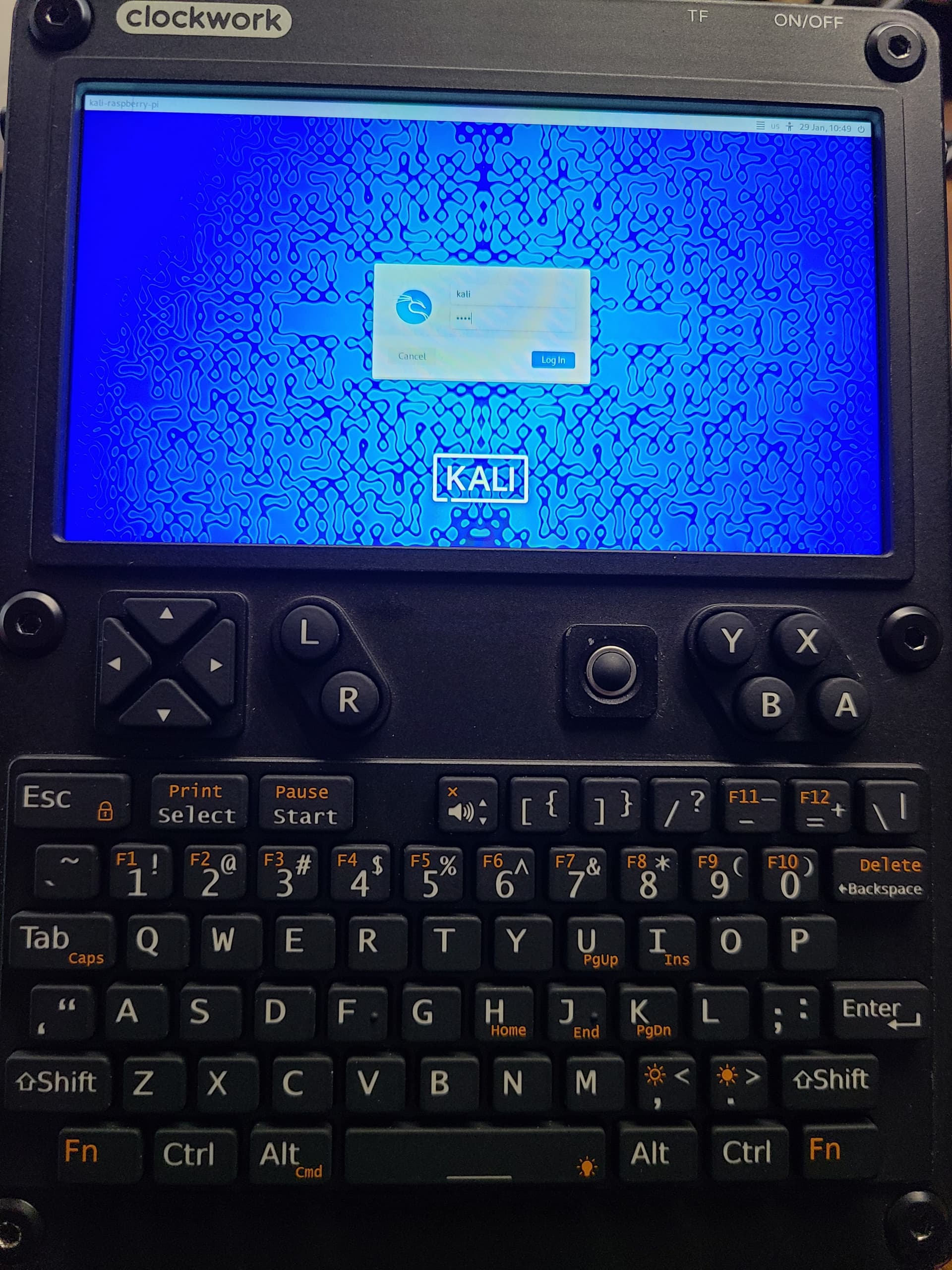
ClockworkPi’s Kali wiki page is a manual chroot transcript against Kali 2024.1, and enough has moved on since — the kernel package it removes no longer exists, and the apt channel it adds serves a 2021-era kernel too old for current Kali’s systemd — that following it step by step no longer produces a bootable image.
I turned the fixed process into a build script instead of another one-off transcript: it downloads and checksums the official Kali RPi arm64 image, installs a current uConsole kernel from ClockworkPi’s up-to-date apt channel, adds the hardware overlays that kernel package no longer ships a config.txt for, and shrinks the image back down afterward. One gotcha worth calling out: the shrink step has to preserve the image’s original disk ID, since cmdline.txt hardcodes root=PARTUUID=<disk-id>-02 — regenerate that ID and the kernel hangs forever at rootwait with nothing on screen. Learned that one on real hardware.
An optional --with-4g flag adds the drivers and blacklist for uConsole’s 4G extension module — handy for a field kit that isn’t tied to Wi-Fi.
Raspberry Pi OS: catching the fork up
My pi-gen fork (uconsole_arm64 branch) carries ClockworkPi’s uConsole-specific patches on top of Raspberry Pi’s official arm64 branch. Merging in the latest upstream picked up several stage fixes for free. On top of that I fixed a build-host compatibility issue (Ubuntu’s qemu-user-static package was renamed, breaking the build on a current host) and extended the existing DSI screen-rotation fix to the actual desktop session, not just the login screen.
Images
| Image | Base | Kernel | Size |
|---|---|---|---|
| ClockworkPi uConsole — Kali Linux 2026.2 | Kali 2026.2, CM4 arm64, 4G extension support | 6.12.62-v8+ | 4.3 GB |
| ClockworkPi uConsole — Raspberry Pi OS (Trixie) | Debian 13 (Trixie), full desktop | 6.12.62-v8+ | 2.0 GB |
| ClockworkPi uConsole — Raspberry Pi OS (Trixie Lite) | Debian 13 (Trixie), no desktop | 6.12.62-v8+ | 826 MB |
All three run the same uconsole-kernel-cm4-rpi build from ClockworkPi’s apt channel — the Kali build script installs it in place of Kali’s stock kernel, and it’s what my pi-gen fork already pulls in for the Raspberry Pi OS builds — so the hardware support (DSI panel, keyboard, PMU) is identical across all three images regardless of userland.
All three are bzip2-compressed:
$ bzip2 -dk kali-linux-2026.2-uconsole-cm4-arm64-4g.img.bz2
$ sudo dd if=kali-linux-2026.2-uconsole-cm4-arm64-4g.img of=/dev/sdX bs=4M status=progress
The full list, alongside the game translation installers from earlier posts, is on the downloads page.
Who this is for
Anyone with a uConsole CM4 who wants a current, boot-tested Kali image — or a current Raspberry Pi OS one — without repeating the archaeology above. If you’d rather build your own, both the Kali build script and the pi-gen fork are public.